
JB's Video Downloader
A private, on-device downloader for video and audio from 1000+ sites, powered by yt-dlp + ffmpeg. It runs as a tiny app on your own machine, so every download uses your connection and stays entirely on your device.
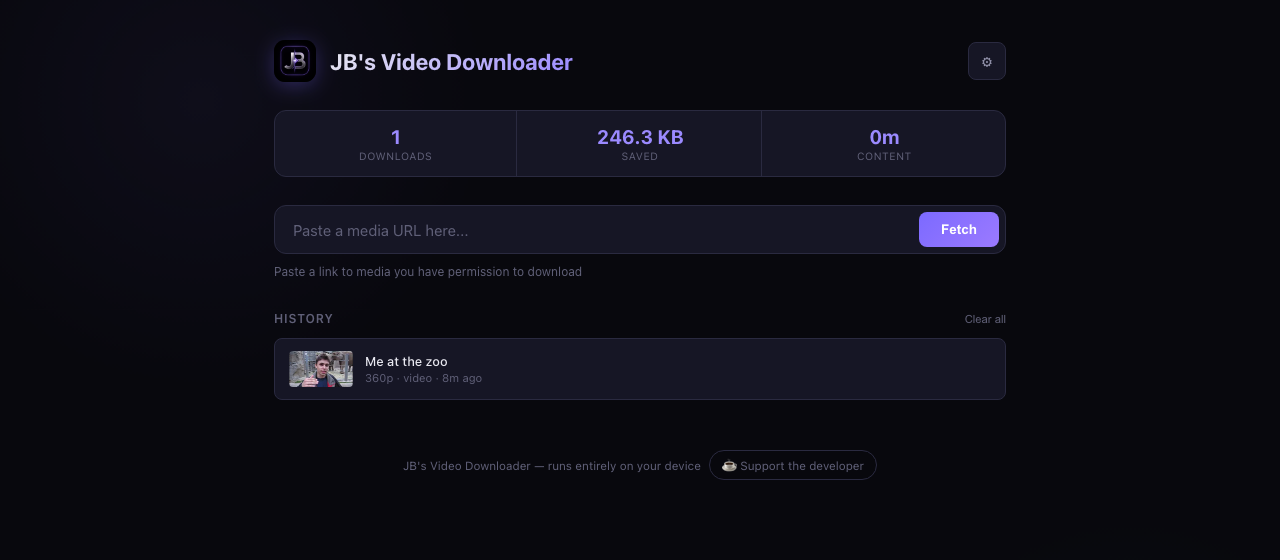
- Widest site support: YouTube, Vimeo, TikTok, X/Twitter and 1000+ more
- Any quality from 4K down to 144p, with live file-size estimates
- Videos that play everywhere: H.264 + AAC MP4s by default, VP9/AV1 for 4K
- Audio as M4A or Opus with no re-encoding, or MP3 and WAV when you need them
- Real-time speed, ETA and progress, streamed live
- Download history and running stats: items, data and duration
- Stays current: the download engine updates itself, and the app lets you know when a new version is out
- No accounts, no cloud, no telemetry
Mac: ~130 MB notarized disk image, nothing to install. Windows/Linux: ~100 KB, needs Python once.
Seeing “HTTP Error 403”? You’re on an older version. Download the latest above and install it over the top; your history and settings are kept.
Unlike the Converter, which processes files right in your browser, a downloader has to fetch and stitch media in a real local process (browsers block this for security). That is exactly what keeps it private: the work happens on your machine, using your connection, and nothing is ever routed through a server of mine.
No terminal. Just double-click.
Unzip and open. It runs in your browser at localhost:9321. The Mac app is Apple-notarized with Python and ffmpeg built in; Windows and Linux use a one-time start file.
Mac
- Download and open the disk image, then drag JB Video Downloader into Applications.
- Open it from Applications. No prompts, nothing to install.
- Your browser opens with the app running. Quit anytime with the ⏻ Quit app button.
Signed and notarized by Apple, so there are no security warnings. Python and ffmpeg are built in, for Apple Silicon and Intel.
Windows & Linux
- Unzip, then double-click the start file for your system.
- First run sets up in about a minute (needs Python 3.9+; ffmpeg installs itself).
- Later runs start instantly.
Windows  →  Start - Windows.bat
Linux    →  Start - Linux.sh
Windows shows a one-time "Run anyway" approval; the included READ ME FIRST file has the 10-second steps.
On first launch you accept a short personal-use agreement, and each download asks you to confirm you have the right to that content. This tool is intended only for lawful use: content you own, that is licensed for free download, that you have permission to download, or that is otherwise permitted in your jurisdiction.
Need to convert rather than download?
Try JB's Video Converter to convert, compress and crop right in your browser, no install required.